🪪 How to Apply for CNIC & NICOP Online – Complete NADRA Pak Identity Portal Guide (2026)
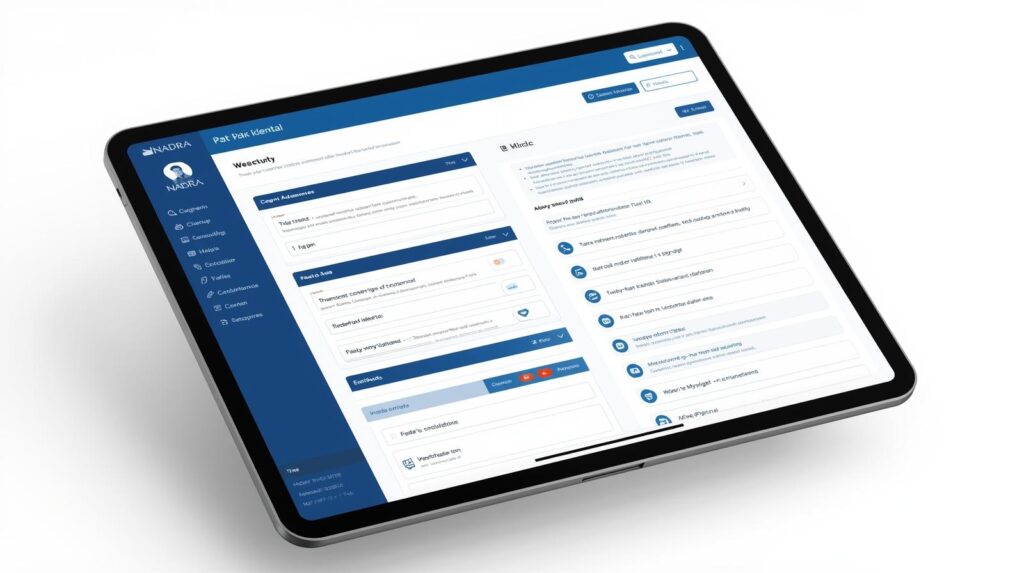
📅 Updated for 2026 – Pakistan & Overseas Guide
If you want to apply for CNIC, NICOP, renewal, modification, or Smart Card, this complete guide explains how to use NADRA Pak Identity Portal step-by-step — in simple English + easy Roman Urdu 🇵🇰
🏢 1️⃣ What Is NADRA & Pak Identity Portal?
The National Database and Registration Authority (NADRA) manages identity records of Pakistani citizens.
The Pak Identity Portal is NADRA’s official online system where you can:
✔ Apply for CNIC (Computerized National Identity Card)
✔ Apply for Smart CNIC
✔ Apply for NICOP (Overseas Pakistanis)
✔ Renew expired card
✔ Modify personal information
✔ Apply for FRC (Family Registration Certificate)
Roman Urdu:
“Pak Identity portal se aap ghar beth kar CNIC ya NICOP apply kar saktay hain — office jana zaroori nahi hota (ziyada cases mein).”
👤 2️⃣ Who Can Apply Online?
✔ Pakistani citizens (18+ for CNIC)
✔ Overseas Pakistanis (NICOP)
✔ Expired CNIC holders
✔ Lost card applicants
✔ People needing correction (name, address, marital status)
Roman Urdu:
“Agar aap ka card expire ho gaya hai ya lost ho gaya hai, online apply karna asaan tareeqa hai.”
📋 3️⃣ What You Need Before Applying
Prepare these:
📌 Valid email address
📌 Mobile number
📌 Scanned documents (if required)
📌 Digital photograph
📌 Debit/Credit card for payment
For NICOP:
📌 Foreign address
📌 Passport copy
Roman Urdu:
“Documents clear scan karein warna application reject ho sakti hai.”
🪜 4️⃣ How to Create Account on Pak Identity Portal
Step-by-Step
1️⃣ Visit official Pak Identity website
2️⃣ Click Register
3️⃣ Enter:
Full Name
Email
Password
4️⃣ Verify email
5️⃣ Login to your account
Roman Urdu:
“Email verification zaroor complete karein warna login nahi hoga.”
📝 5️⃣ How to Apply for CNIC Online
🔹 Step 1: Start New Application
1️⃣ Login
2️⃣ Click Apply Now
3️⃣ Choose:
New CNIC
Renewal
Modification
Lost card
🔹 Step 2: Fill Personal Details
Enter:
✔ Name
✔ Father / Husband Name
✔ Date of Birth
✔ Address
✔ Religion
✔ Marital status
Roman Urdu:
“Spelling bilkul CNIC ya B-Form ke mutabiq likhein.”
🔹 Step 3: Upload Photograph
✔ Clear background
✔ Neutral expression
✔ No cap / sunglasses
System may ask for face verification.
🔹 Step 4: Provide Biometrics (If Required)
In some cases:
✔ Fingerprints
✔ Signature upload
If system asks physical verification, you may need to visit NADRA center.
Roman Urdu:
“Kuch cases mein biometric verification ke liye office jana parta hai.”
🔹 Step 5: Review & Submit
✔ Check all details
✔ Confirm information
✔ Submit application
💳 Step 6: Pay Online Fee
Payment options:
✔ Debit card
✔ Credit card
✔ International card (for NICOP)
Fee depends on:
| Type | Approx Fee |
|---|---|
| Normal CNIC | Standard fee |
| Urgent | Higher fee |
| Executive | Highest fee |
Roman Urdu:
“Urgent aur Executive service mein card jaldi milta hai lekin fee zyada hoti hai.”
🌍 6️⃣ How to Apply for NICOP (Overseas Pakistanis)
NICOP = National Identity Card for Overseas Pakistanis
Steps same as CNIC but you must:
✔ Enter foreign address
✔ Provide passport details
✔ Pay international fee
Delivery available to overseas address.
Roman Urdu:
“NICOP se aap visa ke baghair Pakistan travel kar saktay hain.”
📦 7️⃣ How to Track Your Application Status
After submission:
1️⃣ Login to portal
2️⃣ Click My Applications
3️⃣ View status
Common statuses:
| Status | Meaning |
|---|---|
| In Process | Under review |
| Under Verification | Data checking |
| Printed | Card printed |
| Dispatched | Sent for delivery |
| Delivered | Received |
Roman Urdu:
“Agar ‘Under Verification’ aaye to tension na lein — normal process hai.”
⏳ 8️⃣ How Long It Takes?
| Service Type | Time (Approx) |
|---|---|
| Normal | 15–30 days |
| Urgent | 7–15 days |
| Executive | 5–7 days |
Delivery time may vary.
Roman Urdu:
“Executive service sab se fast hoti hai.”
⚠️ 9️⃣ Common Reasons Application Gets Rejected
❌ Blurry documents
❌ Wrong information
❌ Face not clear
❌ Mismatch with family record
❌ Unverified email
Roman Urdu:
“Form submit karne se pehle har cheez double check karein.”
🏢 🔟 When You Must Visit NADRA Office
You may need to visit if:
✔ Biometric mismatch
✔ Major correction
✔ Family tree verification
✔ System request
Bring:
✔ Original documents
✔ Application tracking number
❓ 1️⃣1️⃣ FAQs – NADRA Pak Identity
Q1: Can I apply CNIC first time online?
👉 Usually first-time CNIC requires visit to NADRA center.
Q2: Can I modify marital status online?
✔ Yes (documents required).
Q3: Is online application safe?
✔ Yes — official government portal.
Q4: Can someone else apply for me?
❌ No — personal verification required.
Q5: What if card is lost?
✔ Apply for “Lost Card” replacement online.
🏁 Final Advice
✔ Use official portal only
✔ Enter correct information
✔ Keep payment receipt safe
✔ Track status regularly
✔ Choose service type according to urgency
Roman Urdu Final Tip:
“CNIC ya NICOP apply karte waqt jaldi mein ghalti na karein — choti si mistake application delay kar sakti hai.”


