💳⚡ How to Pay Electricity Bill Online via Mobile Banking – Complete Pakistan Guide (2026)
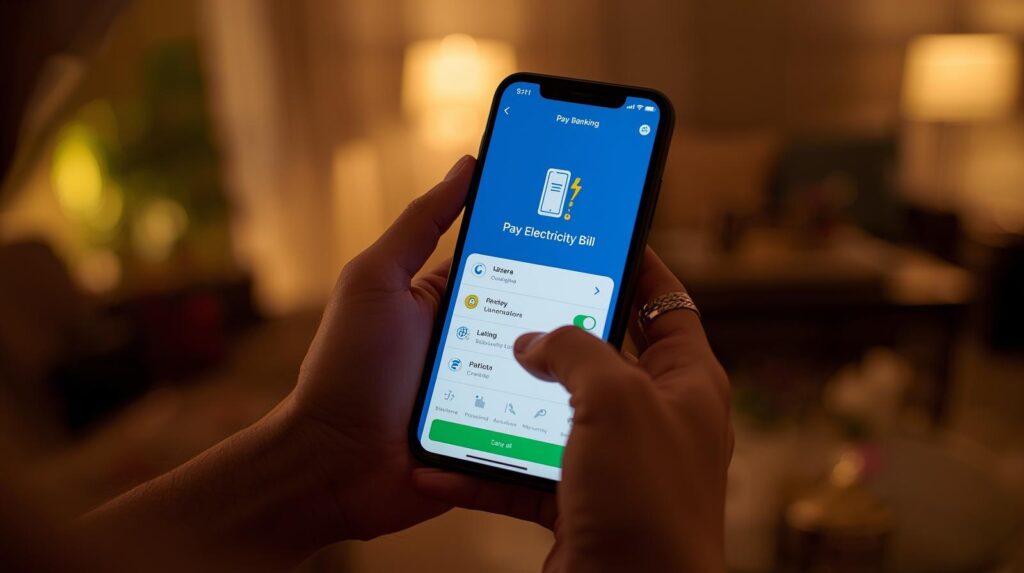
📅 Updated for 2026 – Easy Method for All Banks in Pakistan
You don’t need to stand in long bank lines anymore. You can pay your electricity bill online using your mobile banking app in just 2–3 minutes.
This guide explains everything step-by-step — simple English + easy Roman Urdu 🇵🇰
🧾 1️⃣ What You Need Before Paying
Before starting, keep these ready:
📌 Mobile banking app installed
📌 Active bank account
📌 14-digit Reference Number (on your bill)
📌 Internet connection
Roman Urdu:
“Bill pay karne ke liye sirf reference number aur bank app chahiye hoti hai.”
🏦 2️⃣ Which Banks Support Online Bill Payment?
Almost all major Pakistani banks support electricity bill payments, including:
Habib Bank Limited (HBL)
United Bank Limited (UBL)
Meezan Bank
MCB Bank
Bank Alfalah
Allied Bank Limited
Roman Urdu:
“Almost har bank ki mobile app se electricity bill pay ho jata hai.”
🪜 3️⃣ Step-by-Step: How to Pay Electricity Bill via Mobile Banking
✅ Step 1: Open Your Bank App
Login using:
✔ PIN
✔ Fingerprint
✔ Face ID
✅ Step 2: Go to Bill Payment Section
Look for:
✔ Bill Payment
✔ Utility Bills
✔ Electricity
Every bank app has similar option.
Roman Urdu:
“Utility Bill ya Bill Payment ka option select karein.”
✅ Step 3: Select Electricity Company
Choose your company:
Examples:
Lahore Electric Supply Company
Islamabad Electric Supply Company
Multan Electric Power Company
Faisalabad Electric Supply Company
Peshawar Electric Supply Company
Roman Urdu:
“Apni city ke mutabiq electricity company select karein.”
✅ Step 4: Enter Reference Number
✔ Enter 14-digit reference number
✔ Tap “Fetch Bill” or “Next”
System will show:
✔ Customer name
✔ Bill amount
✔ Due date
Check details carefully.
Roman Urdu:
“Reference number sahi dalna bohat zaroori hai warna bill show nahi hoga.”
✅ Step 5: Confirm Payment
✔ Verify amount
✔ Click Pay
✔ Enter transaction PIN
You will receive:
✔ SMS confirmation
✔ App receipt
✔ Transaction ID
🧾 4️⃣ How to Download Payment Receipt
After payment:
✔ Go to transaction history
✔ Click bill payment
✔ Download or screenshot receipt
Roman Urdu:
“Receipt ka screenshot save kar lein future proof ke liye.”
📱 5️⃣ Alternative Mobile Payment Methods
If you don’t use bank app, you can pay via:
✔ Easypaisa
✔ JazzCash
Steps similar:
Utility Bill → Electricity → Enter reference number → Pay
⏳ 6️⃣ Is Payment Instant?
✔ Usually updates within minutes
✔ Sometimes 1–2 hours
✔ Rarely next working day
Do not pay twice if delayed — check status first.
Roman Urdu:
“Agar bill turant paid show na ho to dobara payment na karein — pehle check karein.”
⚠️ 7️⃣ Common Problems & Solutions
❌ Bill Not Found
👉 Check reference number
👉 Confirm correct company selected
❌ Payment Failed but Amount Deducted
👉 Wait 1–2 hours
👉 Check transaction status
👉 Contact bank helpline if not updated
❌ Paid But Still Showing Unpaid
👉 Wait system update
👉 Keep receipt as proof
Roman Urdu:
“System update mein thora time lag sakta hai — panic na karein.”
💡 8️⃣ Benefits of Paying Bill Online
✔ No long lines
✔ 24/7 service
✔ Instant confirmation
✔ Secure payment
✔ Saves time
Roman Urdu:
“Online payment se waqt bhi bachta hai aur tension bhi kam hoti hai.”
❓ 9️⃣ FAQs – Electricity Bill Mobile Payment
Q1: Is online bill payment safe?
✔ Yes — bank apps are secure.
Q2: Is there extra fee?
👉 Usually no (depends on bank).
Q3: Can I pay after due date?
✔ Yes — but late fee will apply.
Q4: Can I pay someone else’s bill?
✔ Yes — just use their reference number.
🏁 Final Advice
✔ Save reference number in phone
✔ Pay 2–3 days before due date
✔ Keep payment receipt
✔ Use official bank app only
Roman Urdu Final Tip:
“Har mahine due date se pehle mobile app se bill pay karne ki adat bana lein — line aur fine dono se bach jayein.”


